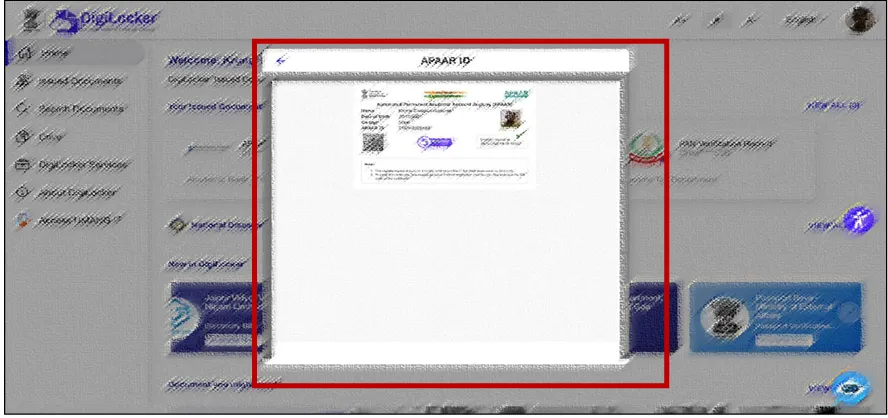
How to Create Apaar id तुम्ही अजून देखील Apaar id Create केलेली नसेल आणि 2026 27 मध्ये जर CET चा FORM भरत असाल तर Apaar id ही अत्यंत महत्वाची आहे. Apaar id कशाप्रकारे Create केली जाते ते खालील प्रमाणे Step by Step Process :
Steps to Create APAAR ID via DigiLocker :
- Step 01: Visit the DigiLocker Portal at https://www.digilocker.gov.in/
- Step 02: Click on the “Login/Register” button on the top corner.

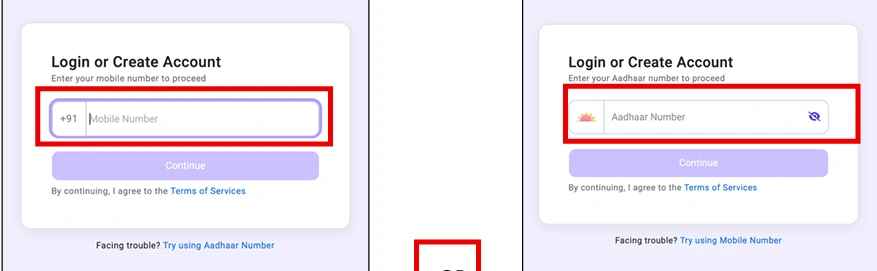
- Step 03: Enter Mobile Number OR Aadhaar Number and click Continue.
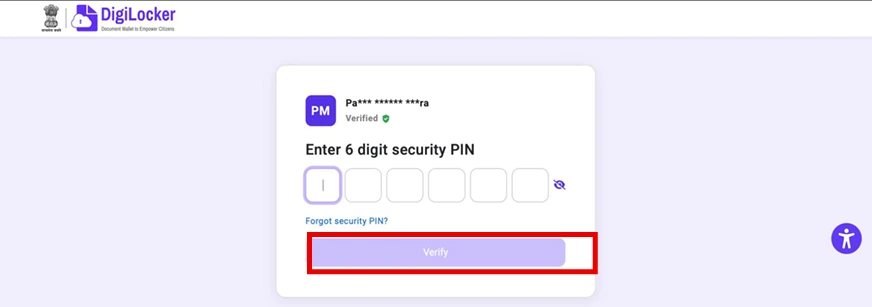
- Step 04: Enter 6 Digit Security PIN and click on Verify.
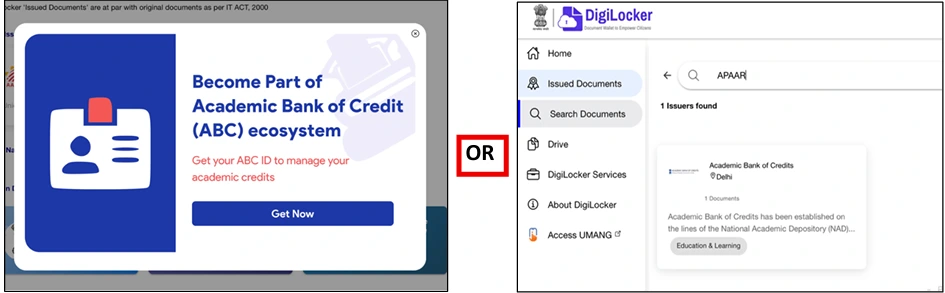
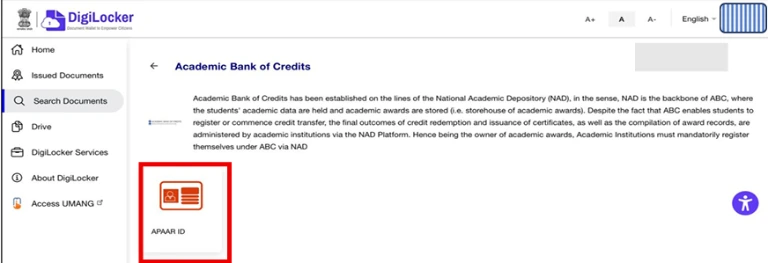
- Step 05: Once Logged In, Click on “Get Now to Get APAAR ID” OR Click on Search Document, and Search “APAAR” and click on “Academic Bank of Credits”.
- Step 06: Click on APAAR ID
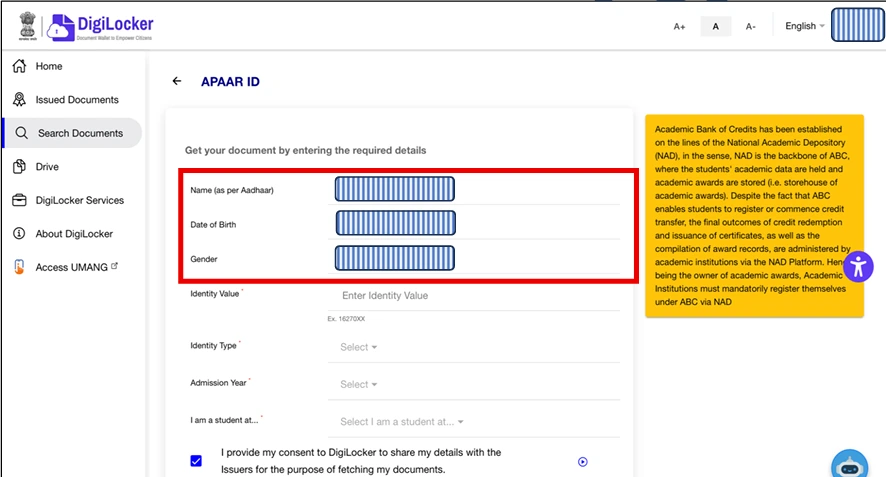
- Step 07: Name, DOB and Gender will be auto fetched.
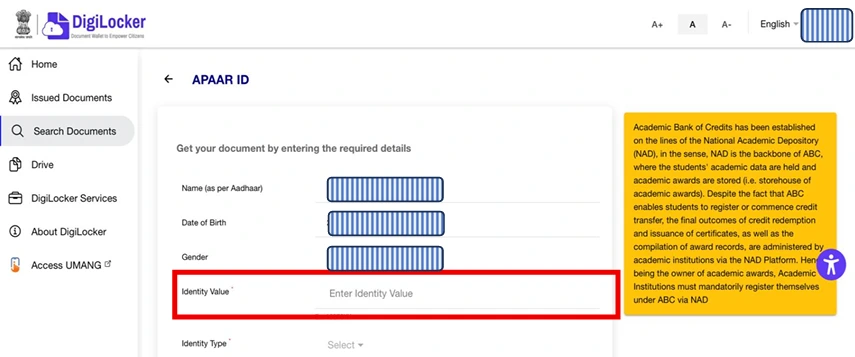
- Step 08: Enter Identity Value as Roll Number or Registration Number or Enrolment Number or New Admission.
- Step 09: Based on Identity value entered, Select the respective Identity Type and click “OK”
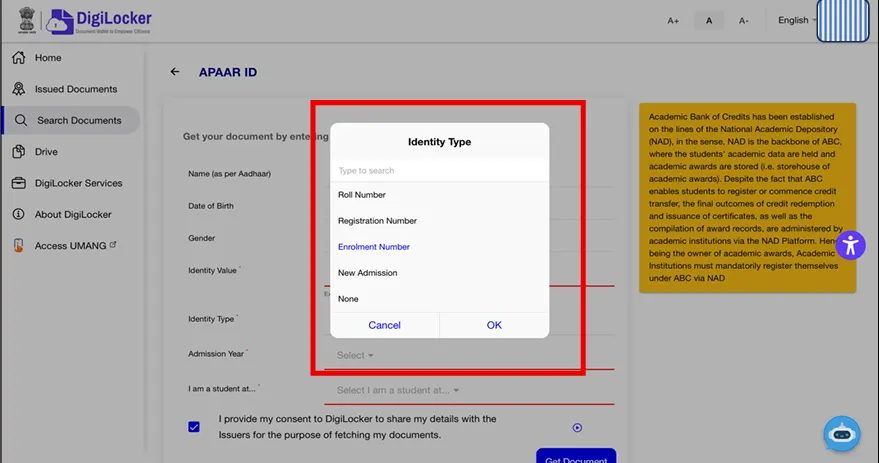
- Step 10: Enter Admission Year from the dropdown and click “OK”
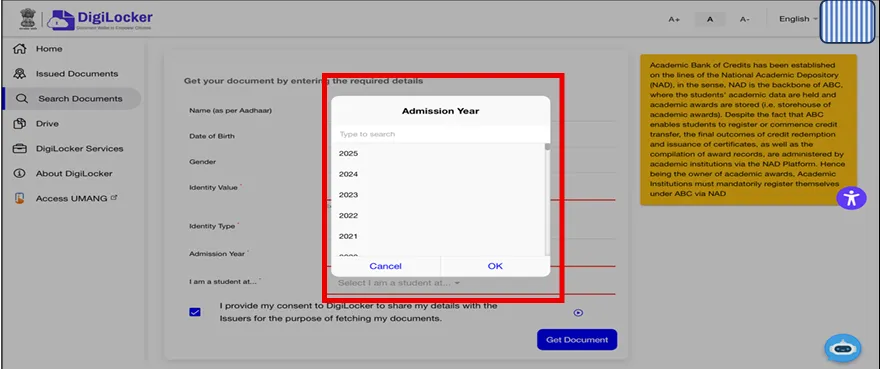
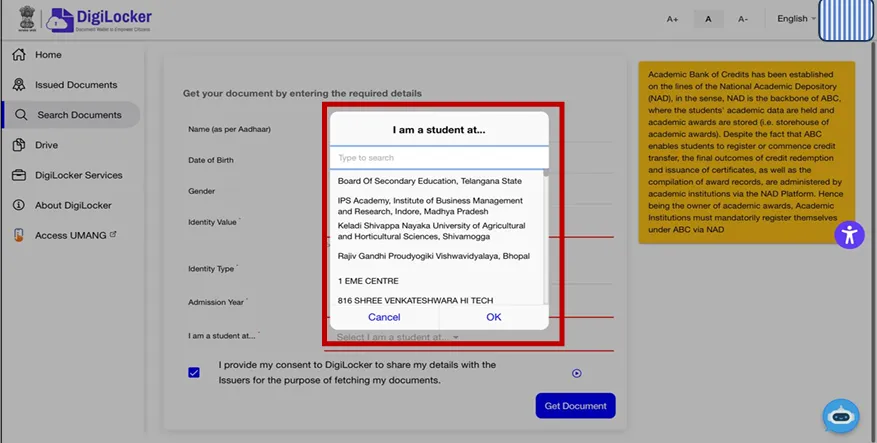
- Step 11: Select the college/school from the dropdown where you are student at and click “OK”
- Step 12: Click on checkbox to provide consent and click on Get Document to get APAAR ID.
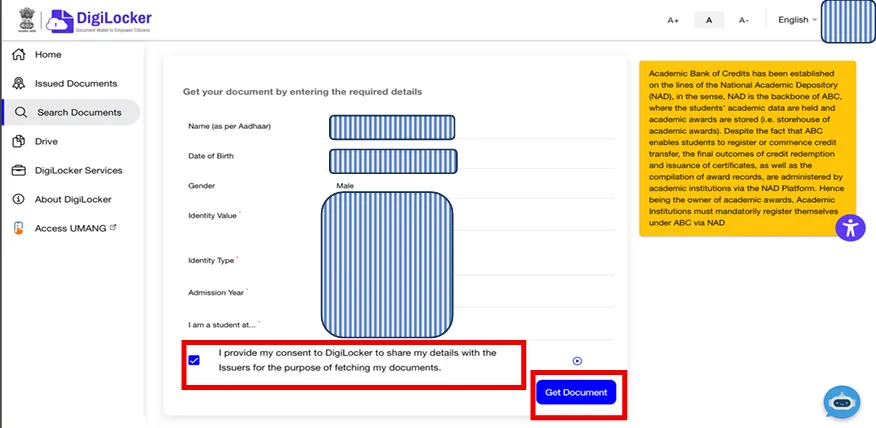
- Step 13: APAAR ID will be successfully generated